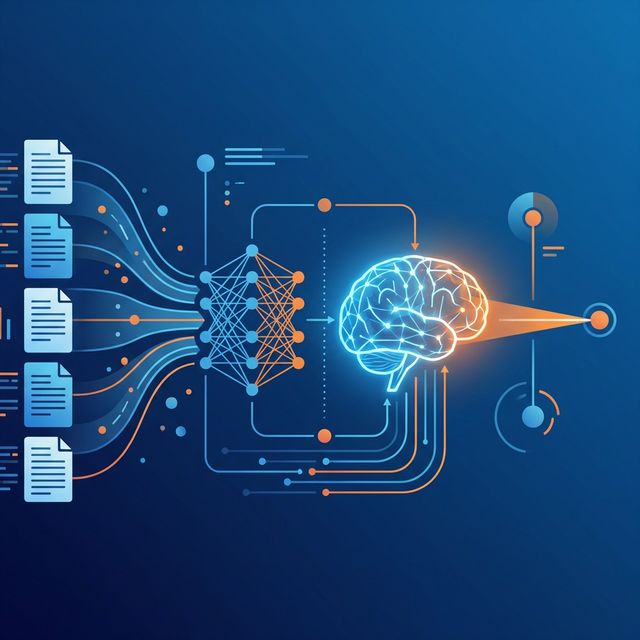
RAG From Scratch: Build a Document Q&A System in 30 Minutes
RAG — Retrieval-Augmented Generation — is the most practical pattern in production AI right now. Instead of relying on an LLM's training data (which is frozen at a cutoff date), RAG lets your model reference your actual documents, databases, or knowledge bases in real time.
I've deployed RAG systems for immigration law firms, insurance underwriting teams, and internal HR portals. The pattern is always the same — and surprisingly straightforward to implement.
The Architecture in Plain English
A RAG system has three moving parts:
- Document ingestion — split your files into chunks, convert them to vector embeddings, and store them
- Retrieval — when a user asks a question, search for the most semantically similar chunks
- Generation — feed those chunks as context into an LLM and generate an answer grounded in your data
Setting Up the Stack
pip install langchain chromadb sentence-transformers ollamaStep 1: Load and Chunk Documents
from langchain.text_splitter import RecursiveCharacterTextSplitter
from langchain.document_loaders import PyPDFLoader

loader = PyPDFLoader("company-policy.pdf")
pages = loader.load()

splitter = RecursiveCharacterTextSplitter(
    chunk_size=500,
    chunk_overlap=50
)
chunks = splitter.split_documents(pages)
print(f"Created {len(chunks)} chunks")
The overlap is important — it preserves context between adjacent chunks. I've found 500 tokens with 50-token overlap works well for most business documents. Legal contracts sometimes benefit from larger chunks (800–1000).
Step 2: Create a Vector Store
from langchain.embeddings import HuggingFaceEmbeddings
from langchain.vectorstores import Chroma

embeddings = HuggingFaceEmbeddings(
    model_name="all-MiniLM-L6-v2"
)

vectorstore = Chroma.from_documents(
    chunks,
    embeddings,
    persist_directory="./chroma_db"
)
Step 3: Query with a Local LLM
from langchain.llms import Ollama
from langchain.chains import RetrievalQA

llm = Ollama(model="llama3:8b")
qa_chain = RetrievalQA.from_chain_type(
    llm=llm,
    retriever=vectorstore.as_retriever(
        search_kwargs={"k": 3}
    )
)

answer = qa_chain.run("What is our parental leave policy?")
print(answer)
That's it. Your documents are now searchable with natural language, and answers are grounded in your actual policy text — not hallucinated from the model's training data.
Production Tips
- Add a reranker — retrieve 10 chunks, rerank to top 3. This significantly improves answer quality.
- Hybrid search — combine vector similarity with keyword matching (BM25) for better recall on specific terms.
- Cache common queries — store embeddings and answers for frequently asked questions.
- Monitor retrieval quality — log which chunks get retrieved. Bad answers usually mean bad retrieval, not a bad model.
FAQ
What embedding model should I use?
For most use cases, all-MiniLM-L6-v2 is a solid starting point (free, fast, 384 dimensions). For higher accuracy, consider BGE-large or Cohere's embed model.
How many documents can RAG handle?
Vector databases like ChromaDB or Pinecone can handle millions of documents. The bottleneck is usually ingestion time, not query time.
Does RAG eliminate hallucinations?
It significantly reduces them by grounding answers in real data. But the LLM can still misinterpret retrieved context, so a verification layer is recommended for critical applications.
Want us to build a RAG system for your business?
We deploy production RAG pipelines that search your documents, contracts, and knowledge bases with zero hallucinations.
Book a Free SaaS Waste Audit